Top 10 Tips on How to Maintain Diagnostic Equipment?

Time:2026-09-07 Author:Sophia
0%

Maintaining diagnostic equipment is not a minor cleaning task. It is a patient-safety responsibility involving calibration, inspection, documentation, and informed judgment. This guide introduces “Top 10 Tips on How to Maintain Diagnostic Equipment?” with practical steps for laboratories, clinics, and biomedical engineering teams.

Joseph F. Dyro, a recognized clinical engineering author, wrote, “Clinical engineering exists to ensure that technology serves patient care safely.” That principle explains why teams must learn how to maintain diagnostic equipment properly. A loose ultrasound cable, dusty air filter, or delayed calibration can affect results before anyone notices. Small details matter.

The guide will examine manufacturer instructions, preventive maintenance schedules, electrical safety checks, software updates, and service records. It will also discuss how to identify unusual noise, unstable readings, overheating, or repeated error codes. These signs should never be ignored. Stop and investigate.

Experienced technicians know that maintenance plans must fit the equipment’s workload. A heavily used analyzer may need closer monitoring than a backup device. Temperature, humidity, cleaning chemicals, and operator habits can also influence performance. Still, no checklist is perfect. Some failures appear between scheduled inspections, and human mistakes remain possible.

Reliable maintenance combines technical skill with honest reporting. Every repair, test result, replacement part, and unresolved concern should be recorded clearly. When uncertainty remains, qualified service professionals should review the equipment before clinical use continues. Safety comes before convenience.
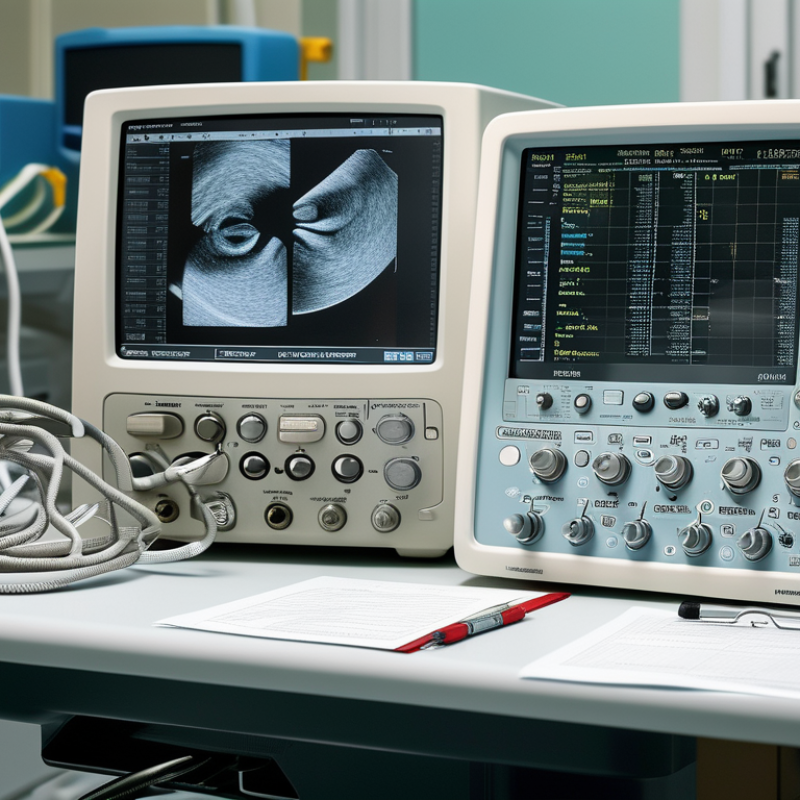
Top 10 Tips on How to Maintain Diagnostic Equipment?

Establish a Routine Inspection and Maintenance Schedule

A routine inspection schedule is the foundation of reliable diagnostic equipment.

It should cover daily checks, monthly inspections, annual calibration, and service after unusual events. The World Health Organization’s Medical Equipment Maintenance Programme identifies inspection, preventive maintenance, and performance verification as essential controls. ISO 15189:2022 also requires laboratories to maintain calibration records and measurement traceability.

Keep the schedule visible. Assign each task to a trained person, and record the equipment ID, date, findings, and corrective action. Check cables, displays, alarms, power supplies, filters, and cooling vents.

Watch for small changes, such as slower start-up or unusual noise. These signs may appear before a serious failure. Use manufacturer-approved procedures, but never rely on memory alone.

Our first checklist was too ambitious. Staff skipped it. A shorter checklist worked better.

Tips:

Link inspections to actual risk. High-use analyzers may need more frequent checks than backup units.

Store calibration certificates with service records.

Review missed tasks during monthly quality meetings.

The WHO guidance recommends using maintenance data to support budgeting and replacement decisions. ISO 15189 also supports documented review of equipment performance.

When a result looks unusual, pause and investigate. Do not quietly reset the instrument. Document the event, compare quality-control trends, and involve qualified technical staff.

A perfect schedule is unlikely. An honest, consistently reviewed schedule is safer.

Follow Manufacturer Guidelines and Equipment Specifications

Top 10 Tips on How to Maintain Diagnostic Equipment

Follow Manufacturer Guidelines and Equipment Specifications

Tip 1: Read the current service manual before cleaning, adjusting, or replacing parts. Procedures can differ between equipment types.

Tip 2: Keep operating conditions within specified limits. Record room temperature, humidity, voltage, and ventilation during inspections. Small changes can affect sensitive measurements.

Tip 3: Follow the recommended calibration schedule. Use traceable reference materials and document every result, including failed checks.

Tip 4: Inspect cables, probes, seals, and connectors weekly. A loose connector may create unstable readings or intermittent errors.

Tip 5: Use only approved cleaning solutions and tools. Excess liquid can enter vents, sockets, or sensor housings.

Tip 6: Check software settings after updates or power interruptions. Default values may not match the required test method.

Tip 7: Compare daily quality-control results with established limits. Do not ignore a gradual drift because the device still appears functional.

Tip 8: Keep a maintenance log with dates, findings, repairs, and operator names. Clear records support accountability and reliable troubleshooting.

Tip 9: Train every user on startup, shutdown, storage, and basic fault reporting. Incorrect handling often causes avoidable wear.

Tip 10: Remove equipment from service when safety indicators, calibration status, or specifications are uncertain. Guessing is not maintenance.

Manufacturer instructions should guide every decision, but they are not always easy to interpret. Ask a qualified service professional when diagrams, tolerances, or warning codes are unclear. I have seen teams rush routine checks. That habit deserves review. A five-minute inspection may prevent inaccurate results, damaged components, and repeated testing.

Top 10 Tips on How to Maintain Diagnostic Equipment? - Follow Manufacturer Guidelines and Equipment Specifications
No. Maintenance Tip Recommended Action Typical Frequency Verification Method Required Record
1 Follow the manufacturer’s instructions Use the approved operating procedures, environmental limits, cleaning methods, consumables, and service intervals specified for the equipment. Before use and during every service cycle Review the current equipment manual and applicable standard operating procedure. Maintenance checklist and procedure revision log
2 Perform routine visual inspections Check cables, connectors, housings, displays, labels, sample holders, tubing, power cords, and safety guards for damage or contamination. Daily or before each use No visible damage, loose parts, fluid leakage, or abnormal wear. Pre-use inspection record
3 Clean and disinfect correctly Remove residues promptly and use only cleaning agents and contact times that are compatible with the equipment surfaces and intended clinical application. After use and whenever contamination occurs Surfaces are visibly clean, dry, and free from residue. Cleaning and disinfection log
4 Control the operating environment Maintain temperature, humidity, ventilation, cleanliness, vibration control, and power quality within the equipment specifications. Continuous monitoring; review daily Environmental readings remain within documented limits. Environmental monitoring record and deviation report
5 Use suitable consumables and accessories Confirm that reagents, test materials, filters, probes, batteries, and accessories are compatible, within their expiry dates, and stored as required. Before each use or replacement Check lot information, expiry date, storage condition, and compatibility. Consumable inventory and lot-traceability record
6 Verify calibration and performance Complete calibration, calibration checks, quality control testing, and performance verification at the intervals defined by the risk assessment and equipment specifications. According to the approved calibration schedule Results meet predefined acceptance criteria before clinical use. Calibration certificate and quality control results
7 Manage alarms and error messages Do not ignore warnings. Record the message, follow the approved troubleshooting steps, and remove the equipment from service if safety or performance may be affected. Whenever an alarm or error occurs Alarm is resolved and normal performance is confirmed. Alarm log, troubleshooting record, and service ticket
8 Protect software and stored data Apply authorized software updates, maintain secure user access, back up required data, and verify that updates do not alter validated functions. As approved by change control System version, backup status, and post-update checks are documented. Change-control record and backup verification
9 Schedule preventive maintenance Arrange planned servicing by trained and authorized personnel, including replacement of wear parts, electrical safety checks, functional tests, and inspection of critical components. At the specified service interval All planned tasks are completed and equipment is released for use. Preventive maintenance report and release approval
10 Document every maintenance activity Maintain a complete equipment history containing inspections, repairs, calibration, failures, downtime, parts replaced, staff involved, and final disposition. After every maintenance or repair activity Records are complete, traceable, dated, and reviewed by an authorized person. Equipment service history and audit trail

Clean, Disinfect, and Store Equipment Correctly

Diagnostic equipment supports important clinical decisions, so cleanliness begins before the next examination. Wash or sanitize your hands, then disconnect powered equipment when instructions require it. Remove visible soil with a soft, lint-free cloth. Do not spray liquid directly onto screens, ports, joints, or electrical openings. Use only cleaning solutions approved for that equipment’s surface and materials.

Disinfection must follow the required contact time. Wiping too quickly may leave microorganisms behind, even when the surface looks clean. Apply the solution evenly, paying attention to handles, cables, buttons, and areas touched during patient care. Use fresh disposable materials when contamination is possible. Never mix chemical products. Let surfaces dry completely. Keep it simple.

Storage also affects equipment safety. Place clean devices in a dry, covered cabinet away from dust, heat, and direct sunlight. Keep cables loosely coiled, not sharply bent, and protect delicate probes from impact. Separate clean equipment from used items during transport. A dated cleaning record can identify missed steps and support routine checks. No routine is perfect. Staff may rush during busy periods, and that weakness deserves honest review. A short visual inspection before use can reveal residue, cracks, moisture, or damaged connectors before they affect performance.

Check Calibration, Performance, and Safety Controls

Top 10 Tips on How to Maintain Diagnostic Equipment?

Maintaining diagnostic equipment starts with a clear calibration schedule. Check calibration dates before each working shift. Use certified reference standards and record every adjustment. A small drift can produce misleading readings. I once trusted a clean display too quickly. The result looked normal, but the measurement required verification. Calibration records should include the operator, date, reference value, and final result. Keep them easy to retrieve during inspections or service reviews.

Performance checks should reflect real operating conditions. Test startup time, signal stability, image clarity, alarms, and data transfer. Compare results with approved baseline values, not personal judgment. Clean sensors and connectors carefully, since dust or moisture can distort performance. Watch for repeated error codes. They may indicate a deeper fault. If a result seems unusual, stop and repeat the test with a known control. My own maintenance notes have sometimes been incomplete, which made troubleshooting slower than necessary. That is worth correcting.

Safety controls need practical testing, not visual reassurance. Inspect cables, plugs, covers, grounding points, and emergency shutoffs. Confirm that protective barriers close properly. Check software access controls and audit logs when equipment stores patient information. Only trained personnel should perform repairs or internal inspections. Follow current service instructions and applicable workplace requirements. Keep damaged equipment clearly marked and unavailable until qualified staff assess it. Never ignore a faint burning smell, unusual vibration, or sudden temperature change. Small warnings matter.

Document Maintenance and Train Authorized Users

A diagnostic device is only as dependable as its maintenance record. Every service entry should show the date, asset ID, operating hours, fault code, action taken, parts replaced, and technician authorization. Add the next due date, acceptance criteria, and a clear release decision: safe for use, restricted, or unavailable. Keep calibration certificates and risk assessments with the record, not in a forgotten folder. Records matter. The World Health Organization’s Medical Device Donations: The Good, the Bad and the Ugly (2011) reports that 70–80% of donated equipment in some low-resource settings may be unusable because training, maintenance, or infrastructure is missing. This figure is not universal. Local evidence must still guide decisions.

Authorized-user training should mirror real work. A supervisor can observe startup checks, sample handling, alarm response, cleaning, shutdown, and escalation of abnormal results. Record competency, trainer, date, device configuration, and retraining triggers. Retraining should follow software changes, repeated errors, long absences, or service events. The WHO Global Atlas of Medical Devices (2017) emphasizes trained personnel and maintenance systems for safe device use. A short checklist near the analyzer can prevent a missed temperature check, but checklists are not magic. Signatures may be complete while corrective details remain unclear. That gap deserves review. Use controlled access where possible, and audit a small record sample each month. Ask whether the user can explain the last alarm, not merely produce a certificate. Reliable documentation connects practical experience with accountable decisions.

FAQS

: Why should I read the current service manual before maintenance?

: Equipment procedures can differ. Read the current manual before cleaning, adjustment, or part replacement. It explains limits, warnings, and approved methods. Do not guess.

Which operating conditions should technicians monitor?

Record room temperature, humidity, voltage, and ventilation during inspections. Small changes can affect sensitive measurements. Compare readings with specified limits.

How often should diagnostic equipment be calibrated?

Follow the recommended calibration schedule. Use traceable reference materials and document every result, including failed checks. A missing record weakens confidence.

What parts need regular inspection?

Check cables, probes, seals, and connectors weekly. Look for cracks, loose fittings, sharp bends, or moisture. A loose connector can cause unstable readings.

How should equipment be cleaned and disinfected?

Wash or sanitize your hands before handling equipment. Disconnect power when instructions require it. Use an approved solution and a soft, lint-free cloth.Never spray liquid directly onto screens, ports, joints, or electrical openings. Follow the required contact time. Wiping too quickly may leave contamination behind.

How should clean equipment be stored?

Store clean devices in a dry, covered cabinet. Keep them away from dust, heat, and direct sunlight. Coil cables loosely and protect delicate probes from impact.Keep it dry. Separate clean devices from used items during transport.

What should be recorded after maintenance or repair?

Record the date, asset ID, operating hours, fault code, actions, replaced parts, and technician authorization. Add the next due date and acceptance criteria.State whether the device is safe, restricted, or unavailable. Keep calibration certificates and risk assessments with the maintenance record.

How should users be trained and monitored?

Training should reflect real work. Observe startup checks, sample handling, alarm response, cleaning, shutdown, and fault reporting.Record the trainer, date, device configuration, and competency result. Retrain users after software changes, repeated errors, long absences, or service events.

When should equipment be removed from service?

Remove it when safety indicators, calibration status, or specifications are uncertain. Do not continue testing because the device still appears functional.Review rushed inspections and incomplete signatures honestly. A short visual check may reveal residue, cracks, moisture, or damaged connectors. Mistakes happen. Records should show what was actually corrected.

Conclusion

Maintaining diagnostic equipment properly is essential for reliable results, user safety, and longer service life. To understand how to maintain diagnostic equipment properly, begin with a routine inspection and maintenance schedule based on usage, operating conditions, and equipment requirements. Follow the manufacturer’s instructions and technical specifications for setup, cleaning, replacement parts, and safe operation. After each use, clean and disinfect suitable surfaces with approved methods, then store the equipment in a dry, secure, and organized location to prevent contamination or damage.

Regularly check calibration, performance indicators, electrical connections, and safety controls to identify problems before they affect testing. Any unusual readings, physical damage, or malfunction should be reported and addressed by qualified personnel. Keep clear maintenance records, including inspection dates, calibration results, repairs, and part replacements. Finally, train and authorize users on correct operation, cleaning procedures, emergency steps, and reporting requirements. A consistent, well-documented maintenance program helps preserve accuracy, reduce downtime, and support dependable diagnostic services.

Sophia

Sophia

Sophia is a dedicated marketing professional with an exceptional depth of knowledge about her company's products and services. With a keen understanding of market trends and customer needs, she crafts insightful blog posts that not only inform but also engage readers, enriching the company’s online......